Point-of-sale for card-show vendors

The point-of-sale built for the trade table.

KOmpare is a POS for vendors who buy and sell cards at card shows. Price a stack of cards in seconds with the customer watching the math — comps from every source you care about on the same screen, and a running buy-% so you both get to "deal" without a five-minute lookup. Offline-capable, so dead venue Wi-Fi doesn't kill the trade.

Built for card shows Transparent pricing Works without Wi-Fi
The pricing problem

Customers don't trust prices
they can't see.

Quote TCGplayer Market and the buyer's already opened eBay on their phone to argue with you. KOmpare puts every comp you care about — TCG benchmarks, recent eBay sold averages, PSA 9/10 — on the same screen. Pick the number, point at the row it came from, and move on to the next card.

Mega Charizard X ex
M2 Inferno X · #013/080 · Holo · EN
NM LP MP HP DM
  • TCGplayer Market BENCH
    $84.99
    Listed price benchmark 7m ago
  • eBay 7-day Avg HOT
    $72.40
    Recent transactions, 7d 12m ago
  • eBay 30-day Avg COMP
    $69.15
    Real transactions, 30d 1h ago
  • PSA 9 Sold Comp GRADE
    $148.00
    Graded comps 22m ago
  • PSA 10 Sold Comp GRADE
    $310.00
    Graded comps 22m ago
Final price $72.40
Use this price

Stop tab-juggling four price sites mid-trade.

TCGplayer Low / Mid / Market / High, eBay 7-day and 30-day sold averages, and PSA 9 / 10 sold comps when they're available — all on one sheet. No swapping apps, no losing the customer's attention.

Know whether the comp is from now or yesterday.

Every row shows when it was last fetched — white inside half an hour, amber by two, red past that. You decide whether to use it or refresh; the customer sees the same signal you do.

When you already know the number, just type it.

Tap Custom, type your price, done. The original sources stay one tap away if the customer wants to check your work.

How a trade runs

Card in hand to cash in hand, without leaving the app.

Every step is built for the speed of someone standing at your table with a stack and a question.

1

Find it without fumbling.

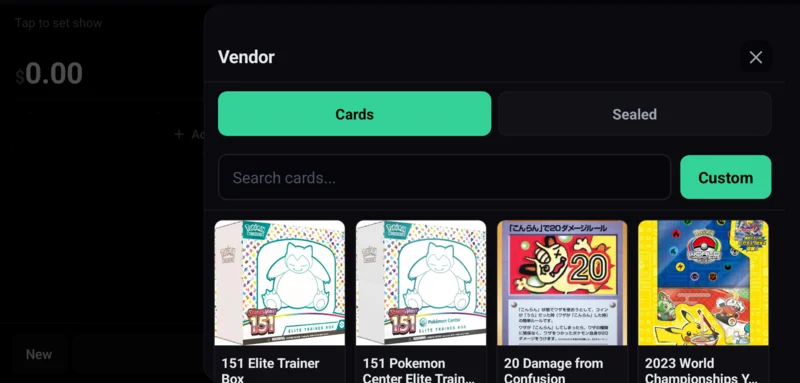
Search the on-device catalog — every Pokémon set, sealed product included. No tab-switching to a browser, no "loading…" while the customer waits. The catalog lives on the phone.

Card search screen with sealed and card results
2

Pick the comp you can defend.

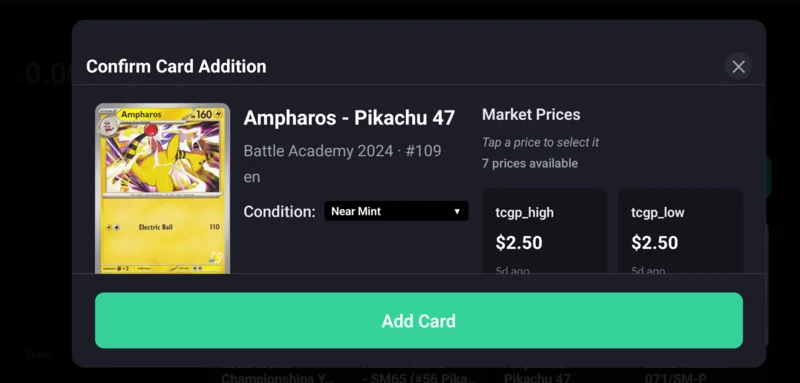
Confirm condition, pick the source. The price that goes on the trade is the one you tapped — and the row it came from is one tap away if the customer wants to see it.

Confirm card addition with market price options
3

Settle up without doing the math.

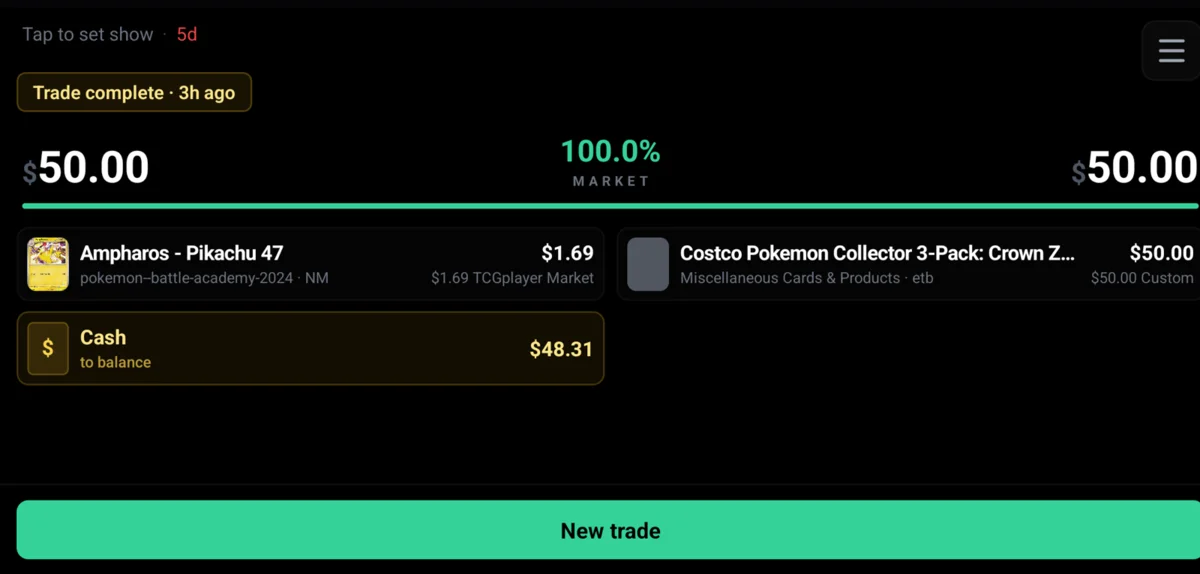
Cards on your side, cards on theirs. Cash to balance lands automatically. Buy-% updates live so you know what the deal really looks like before you shake on it.
Completed trade summary with cash balance
The booth problem

The venue Wi-Fi always dies during the biggest trade of the day.

  • Zero bars, trade still closes. The full catalog (cards, sets, sealed) lives on the device, and prices stay ready from your last sync. Search, pick a price, balance and complete the trade offline — it uploads the moment you're back online.
  • Customer changes the deal mid-trade. They swap a card, ask for a little more cash, drop a sealed box in last second. Adjust the line and the buy-% and totals update instantly. No restarting, no recalculating in your head.
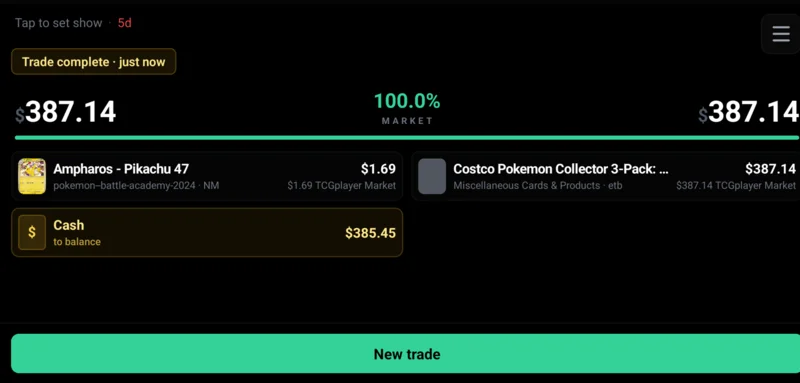
  • Both sides of the table see the same numbers. Vendor total, customer total, buy-% and the source behind every price are right there on the screen. Nobody is doing trust-math in their head.
  • Trade history that sticks around. Every completed trade is locked and synced. Pull it up days later when the customer comes back wanting to talk again.
KOmpare TCG live trade screen showing vendor and customer columns
Ready for your next show

Put a real POS in your hand before the next show.

KOmpare TCG is in open beta — install it on iPhone or Android. Sign in with your email, run your next trade through it, and see how much faster the line moves when the math is on the screen instead of in your head.

Already have it installed? Open the app from your home screen — your previous trades are still there.